


Skip to content
Zarela

Channels

Every customer message, one inbox

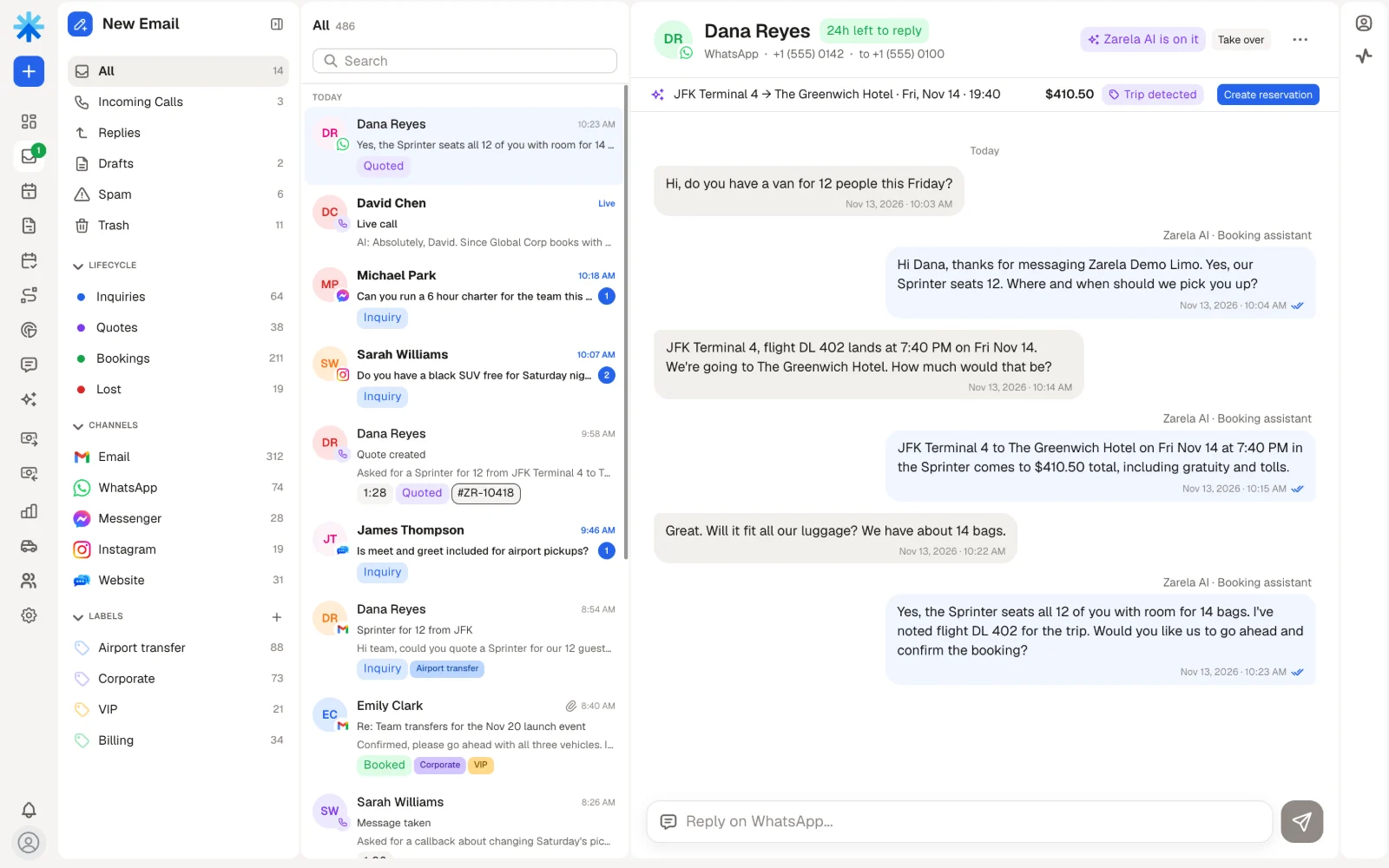
WhatsApp, Instagram, Messenger, email, website chat, and phone calls land in one list. An AI agent answers first, and your team takes over whenever it wants.

The Zarela inbox with WhatsApp, Instagram, Messenger, email, and call conversations in one list

Connected channels

Your customers pick the app. You get one list.

Stop checking five apps for booking requests. Each conversation keeps its channel, and all of them work the same way.

  • WhatsAppYour business number
  • InstagramDirect messages
  • MessengerYour Facebook Page
  • GmailShared mailboxes
  • OutlookMicrosoft 365 mail
  • Website chatA widget on your site
  • JivoIf you already use it
  • Phone callsFrom the AI Call Center

The agent answers first

When a message comes in at 11 PM, the chat agent replies right away. It knows your vehicles and your rates, collects the trip details, and gives the price. Your team confirms the booking.

  • Works on WhatsApp, Instagram, Messenger, and website chat
  • Press Take over to answer yourself, and Hand back when you’re done
  • Every reply is in the conversation for your team to read

James ThompsonWhatsApp

Take over
  1. Hi, do you have an SUV to Newark on Saturday at 6 AM? Pickup is in Tribeca.

  2. Hi James! Yes, a Suburban is open Saturday at 6:00 AM. How many passengers, and which terminal?

  3. Three of us, Terminal C.

  4. Thanks. Tribeca to Newark Terminal C comes to $186.00 with tolls. Would you like us to go ahead and book it?

AI agent is handling this chat
From first message to booked trip

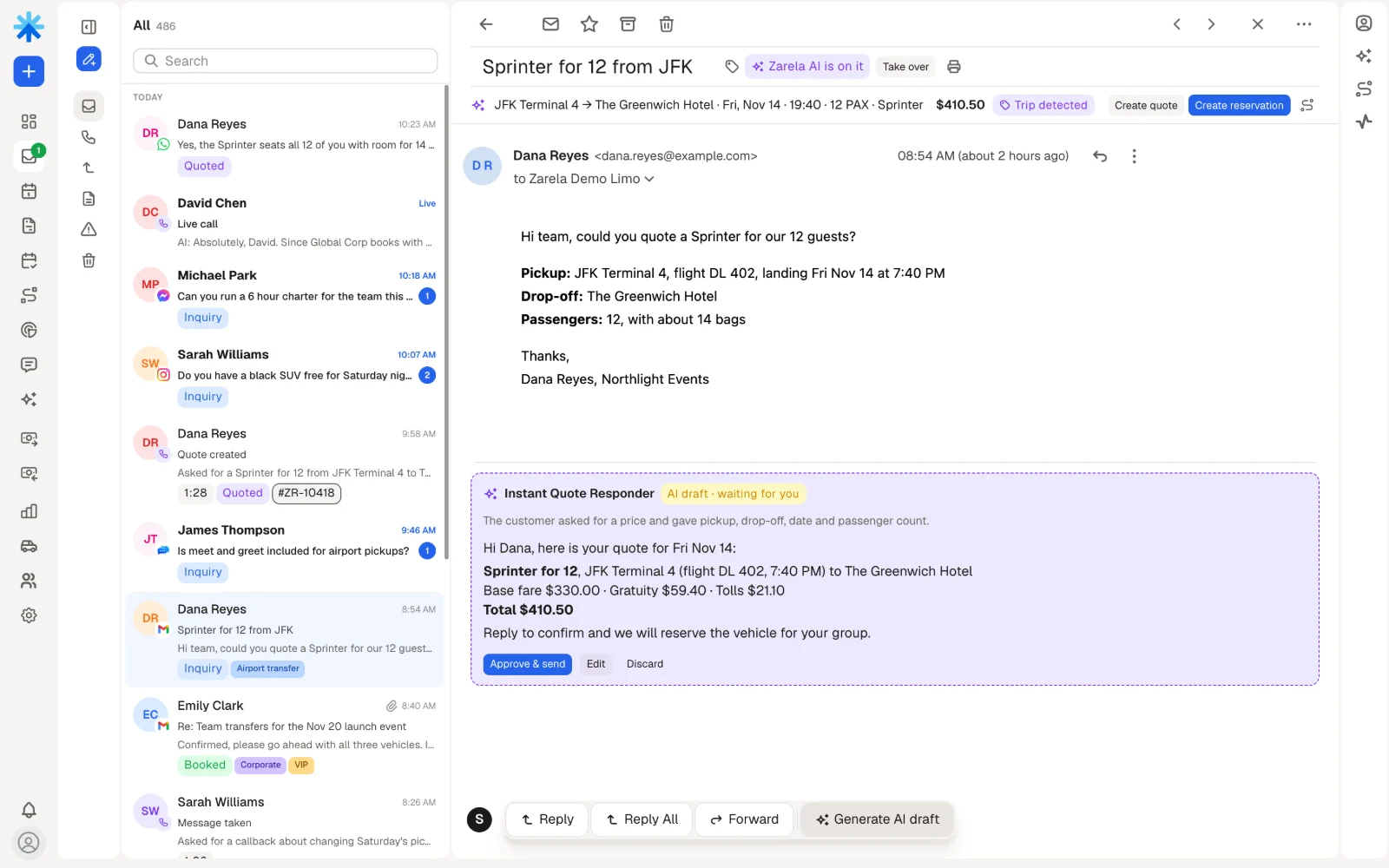
Every conversation shows where it stands. When a chat or an email turns into a quote or a reservation, it stays linked, so your team sees the trip right next to the conversation.

  • Filter the inbox by New, Quoted, Booked, or Lost
  • See the linked trip at the top of the conversation
  • AI reads emails, pulls out trip details, and drafts the quote
An email conversation in the Zarela inbox with extracted trip details and a drafted quote

Everything connects from one page

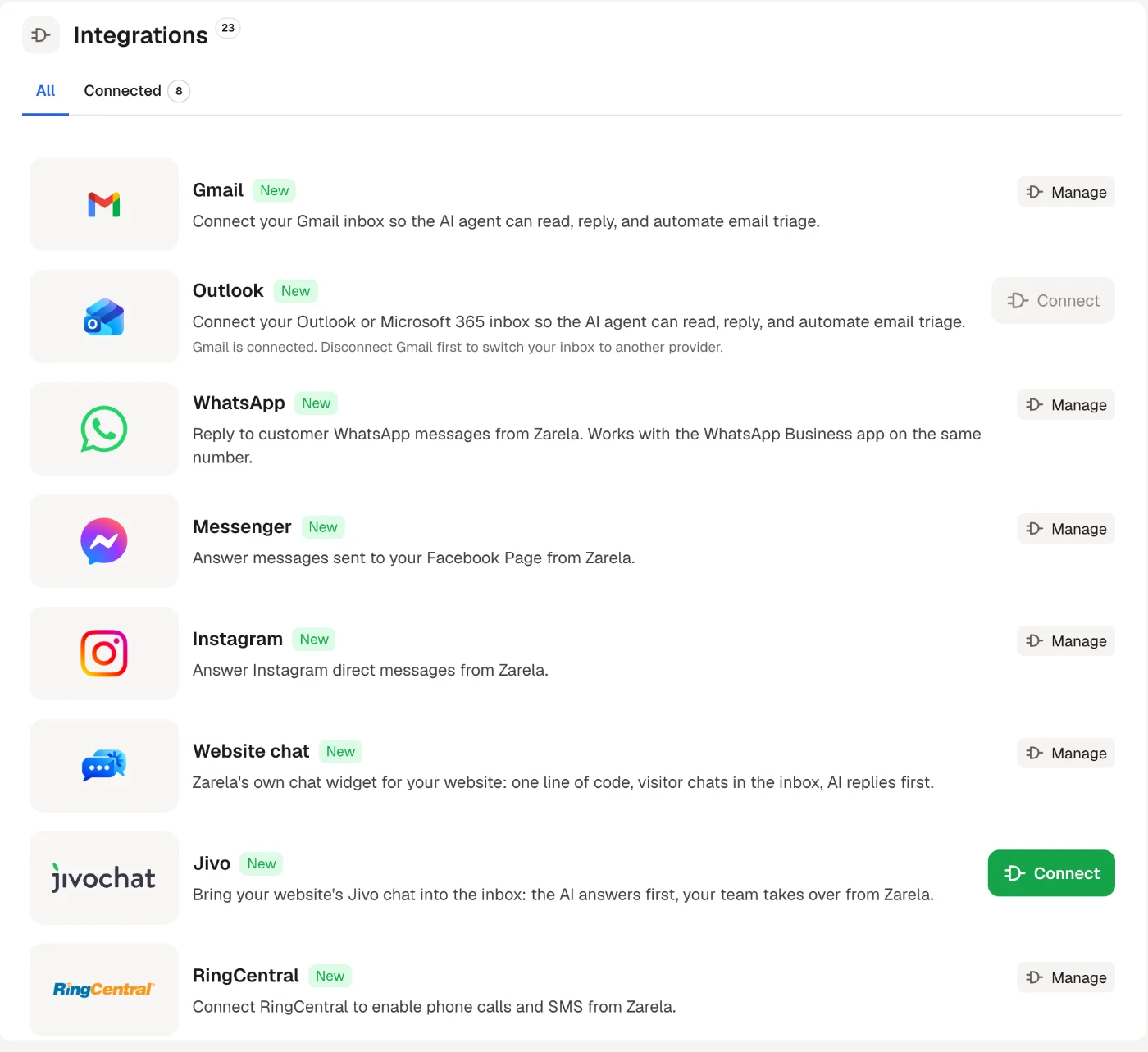
Your email, your Meta accounts, your website chat, and your phone line all sit on one Integrations page in Settings. You can see what's connected and manage it from there.

  • Gmail or Outlook for your shared mailbox
  • WhatsApp works alongside the WhatsApp Business app on the same number
  • RingCentral brings phone calls and SMS into Zarela
The Integrations page in Zarela Settings with Gmail, Outlook, WhatsApp, Messenger, Instagram, website chat, and RingCentral

Add chat to your website. Paste one line of code and your site has a chat widget that lands in the same inbox, with the same agent behind it.

Search one place. Look up a customer once and find their chats, emails, and calls without switching apps.

Channel questions

Do my customers have to install anything?

No. They keep writing to you on WhatsApp, Instagram, Messenger, email, or your website. Only your team uses Zarela.

Can the AI reply without me?

Yes, on chat channels the agent replies on its own until someone presses Take over. Email drafts wait for your approval.

Can several people work the same inbox?

Yes. Your whole team sees the same conversations, and you control who can read and reply with roles and permissions.

What about WhatsApp’s 24-hour rule?

Zarela follows it. If a customer’s reply window has closed, the conversation shows that before anyone tries to answer.

Are phone calls in the inbox too?

Yes. Calls answered by the AI Call Center appear in the same list with their transcript and outcome.

ZarelaAI agents

Bring every conversation into one place

Create a free account, connect your first channel, and answer your next customer from Zarela.