Skip to content
Zarela

Zarela Driver app

Everything your drivers need, on one screen

Trip offers, step-by-step status updates, chat with dispatch, and earnings. Drivers stay on the road, and your office sees each trip move as it happens.

Free to download on iPhone and Android.

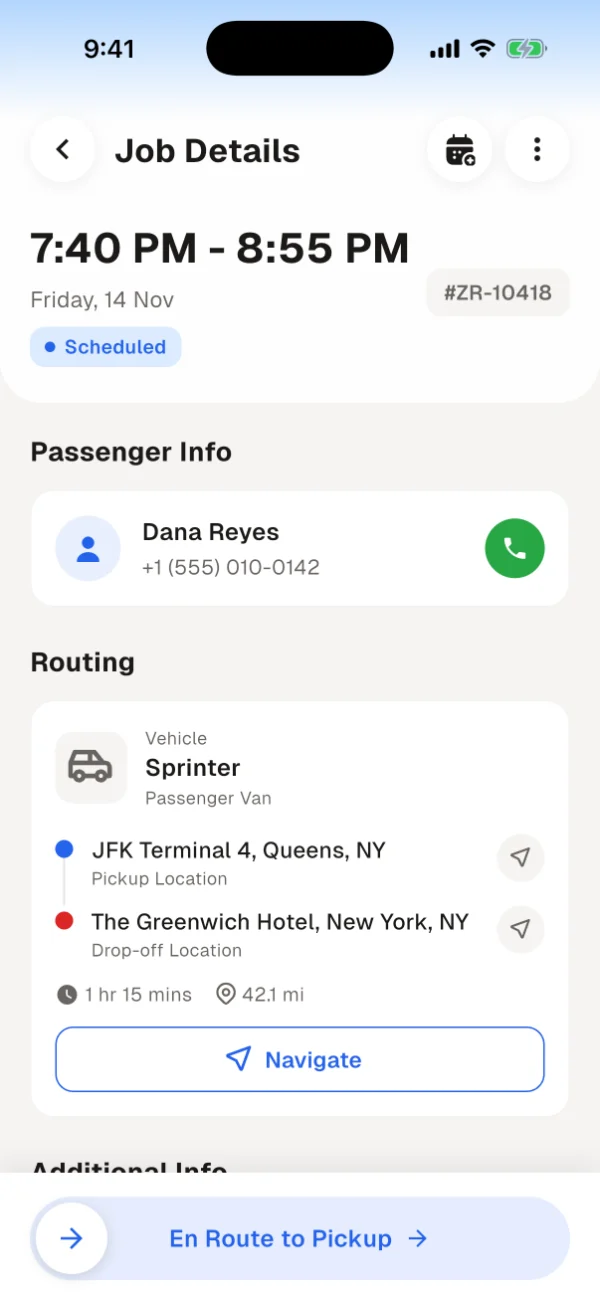
Zarela Driver Job Details screen with the passenger, the route, a Navigate button, and a slider to go en route to pickup
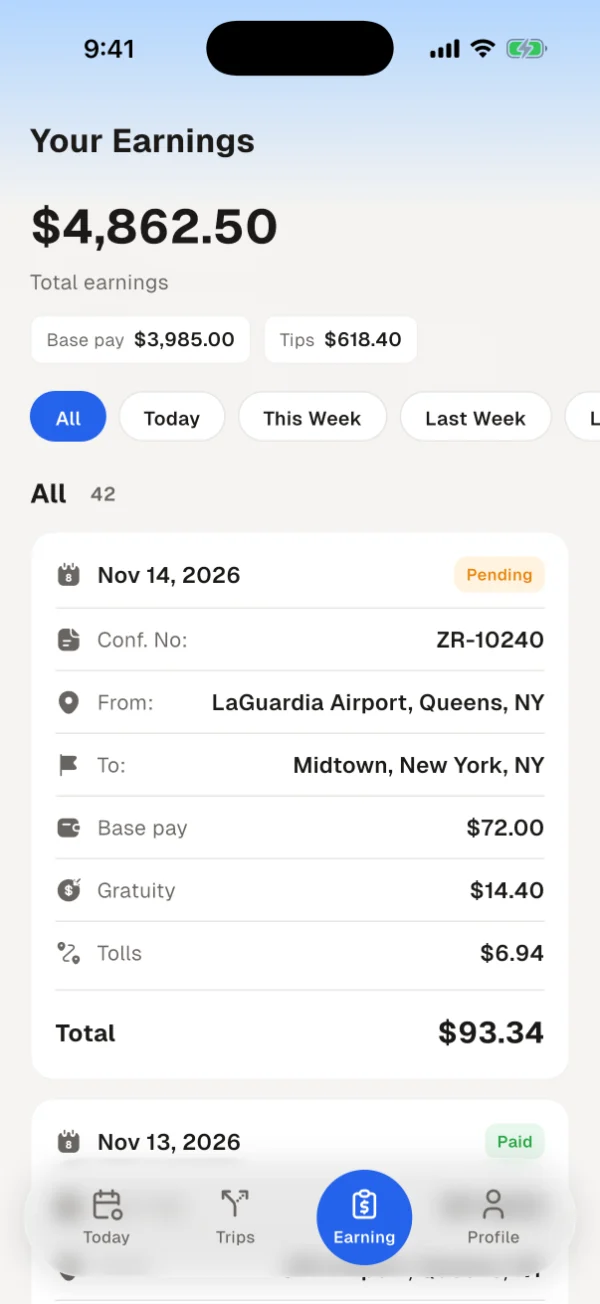
Zarela Driver earnings screen with total earnings, base pay, tips, and a list of trips
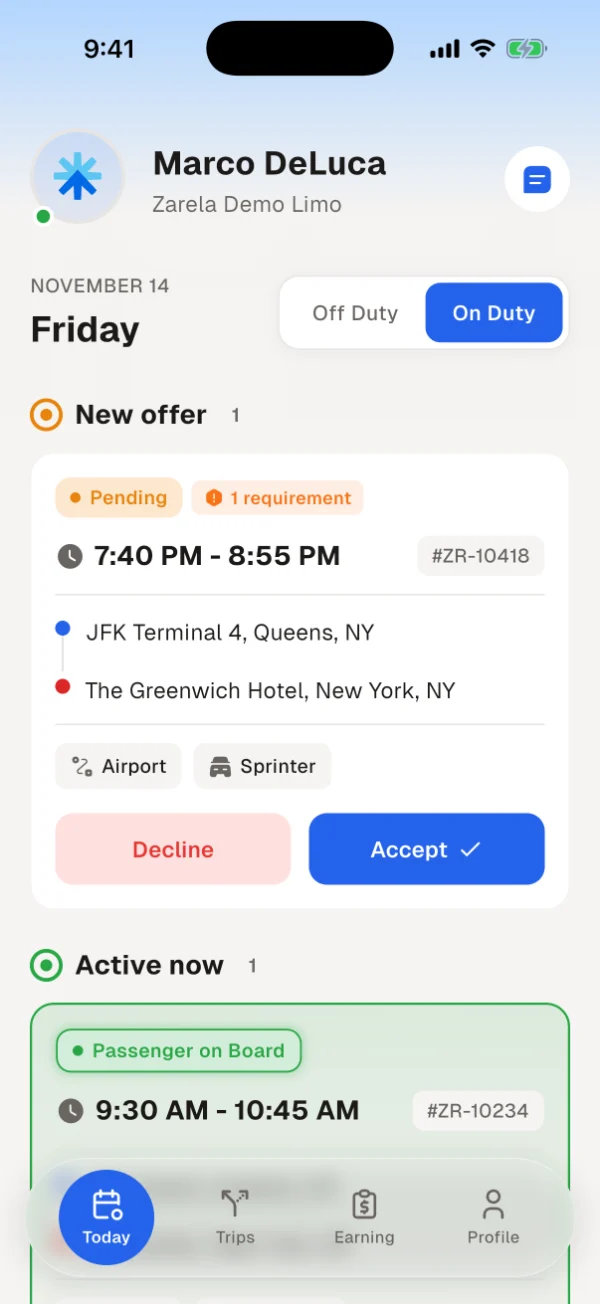
Zarela Driver Today screen with a new trip offer from JFK Terminal 4 to The Greenwich Hotel, with Accept and Decline buttons

How it works

From offer to drop-off in three steps

A driver never has to call the office to find out what's next or to report where they are.

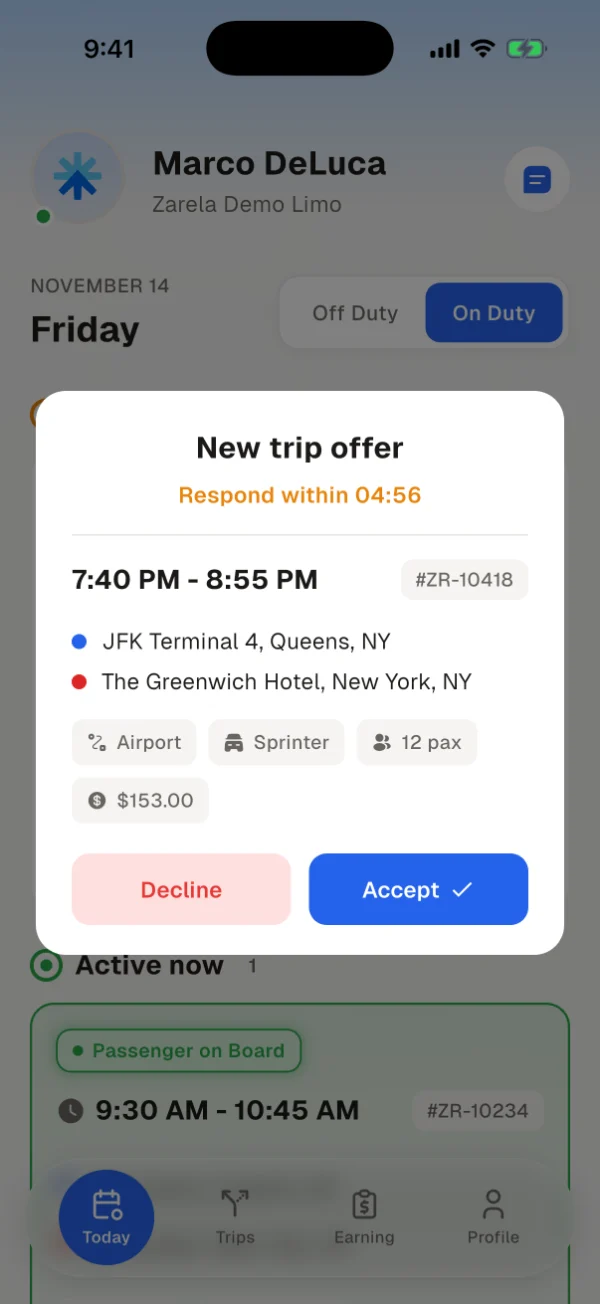
  1. New trip offer pop-up in Zarela Driver with a countdown to respond, the route, and the pay

    01

    Get the offer

    A new offer pops up with the pay and a countdown to respond. One tap accepts or declines it, and a decline asks for the reason.

  2. Zarela Driver Job Details screen with the passenger, the route, a Navigate button, and a slider to go en route to pickup

    02

    Work the trip

    Each stage is one swipe: en route, arrived, passenger on board, drop-off. Dispatch sees every change as soon as the driver confirms it.

  3. Zarela Driver earnings screen with total earnings, base pay, tips, and a list of trips

    03

    See what you earned

    Base pay, tips, and totals for today, this week, or any date range, with each trip marked paid or pending.

Chat with dispatch, right in the app

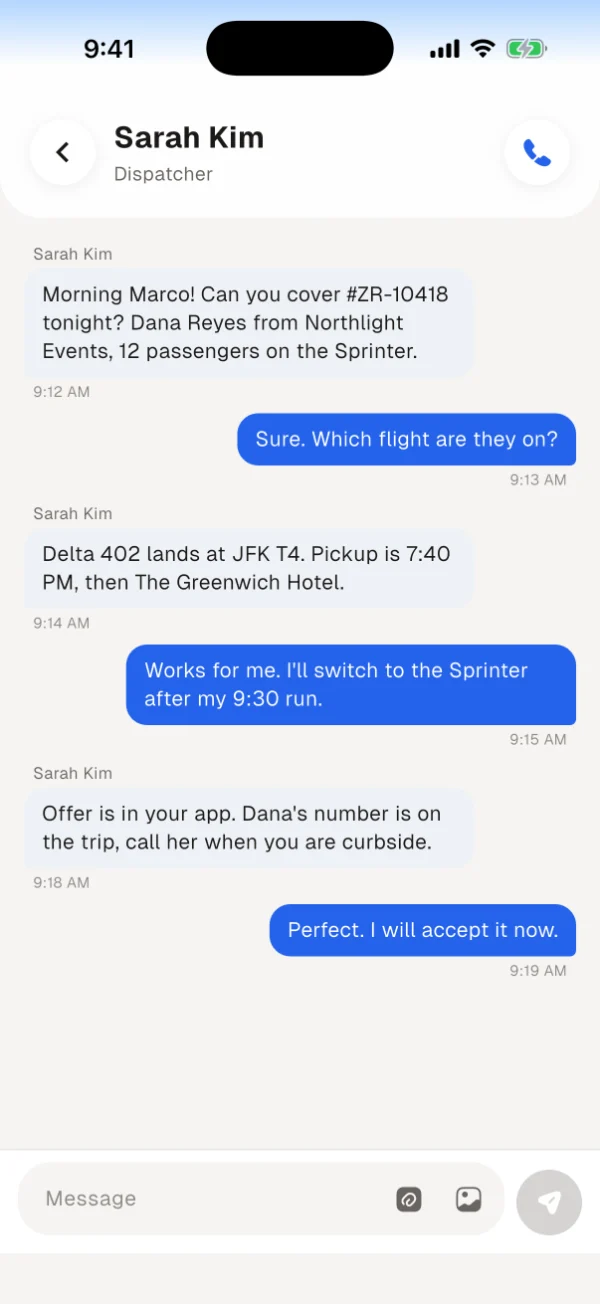
Drivers message their dispatcher in real time, with photos and files, and can call with one tap. Nobody has to dig through group texts to find the pickup details.

  • Push notifications for new messages
  • Photos and files sent from the phone
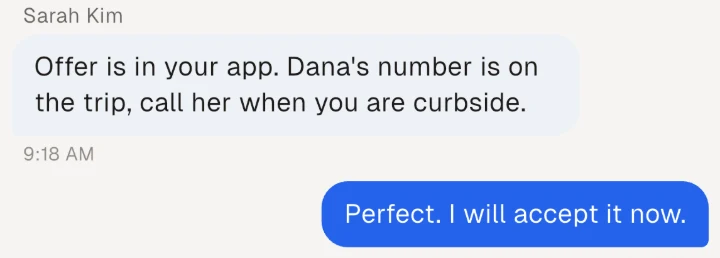
Zarela Driver chat between a driver and a dispatcher about a pickup at JFK
A dispatcher's message and the driver's reply

Photo inspections your policy can require

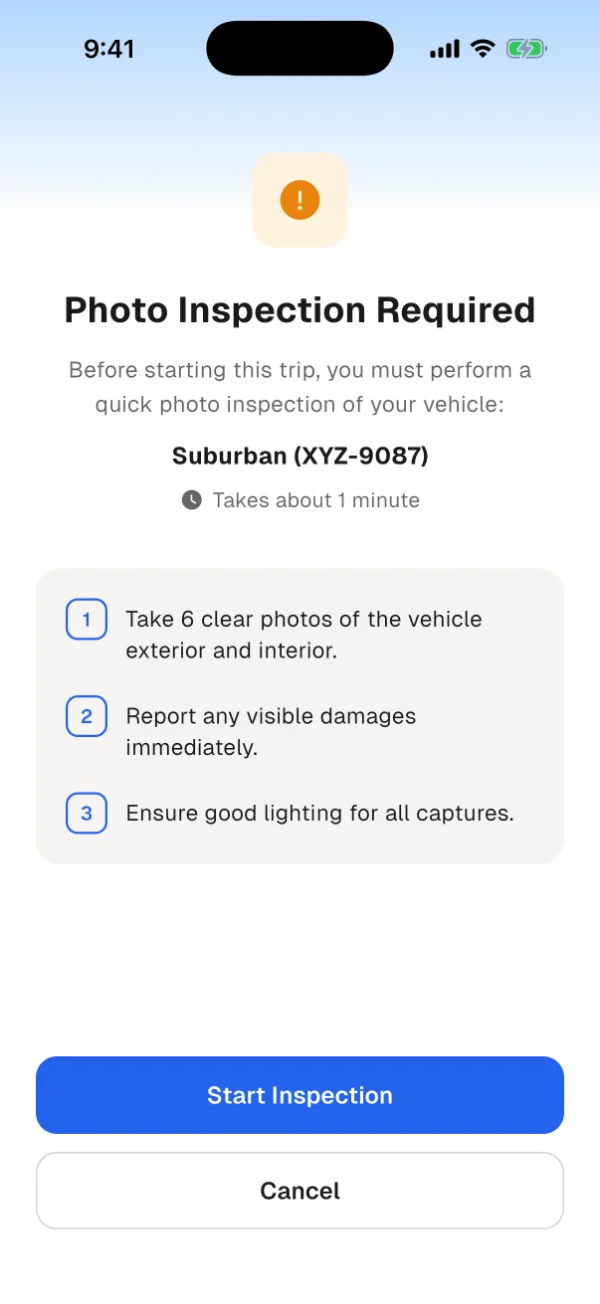
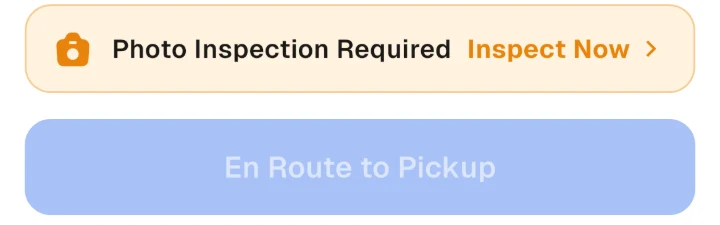
Six photos of the vehicle, inside and out, at the start and end of a trip. When your policy requires one, the driver can't go en route until it's done, and the photos land on the trip record.

  • You set the policy in Zarela
  • The offer shows the requirement up front
  • If the app closes, the driver picks up where they left off
Zarela Driver Photo Inspection Required screen asking for six photos of the vehicle
Photo Inspection Required banner above a disabled En Route to Pickup slider

Trip costs handled on the spot

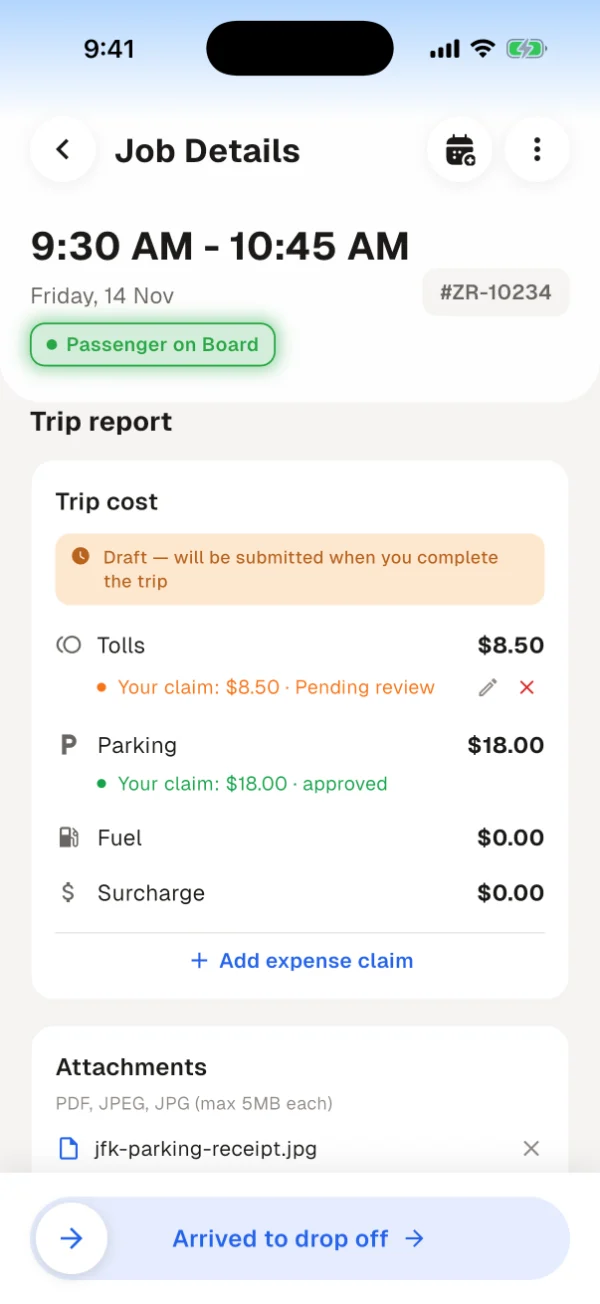
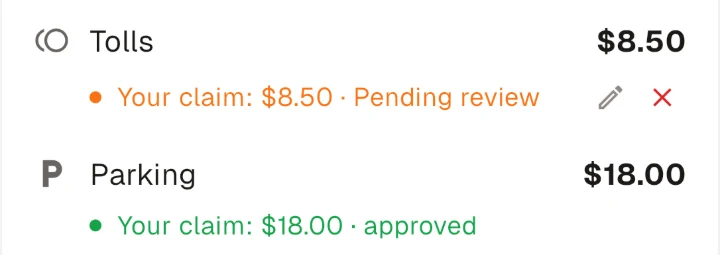
Tolls, parking, and fuel go on the trip as expense claims, with receipts attached. Your office reviews them, and the driver sees each claim move from pending to approved.

Zarela Driver trip report with toll and parking expense claims and an attached receipt
Toll claim pending review and parking claim approved

The whole schedule, one swipe away

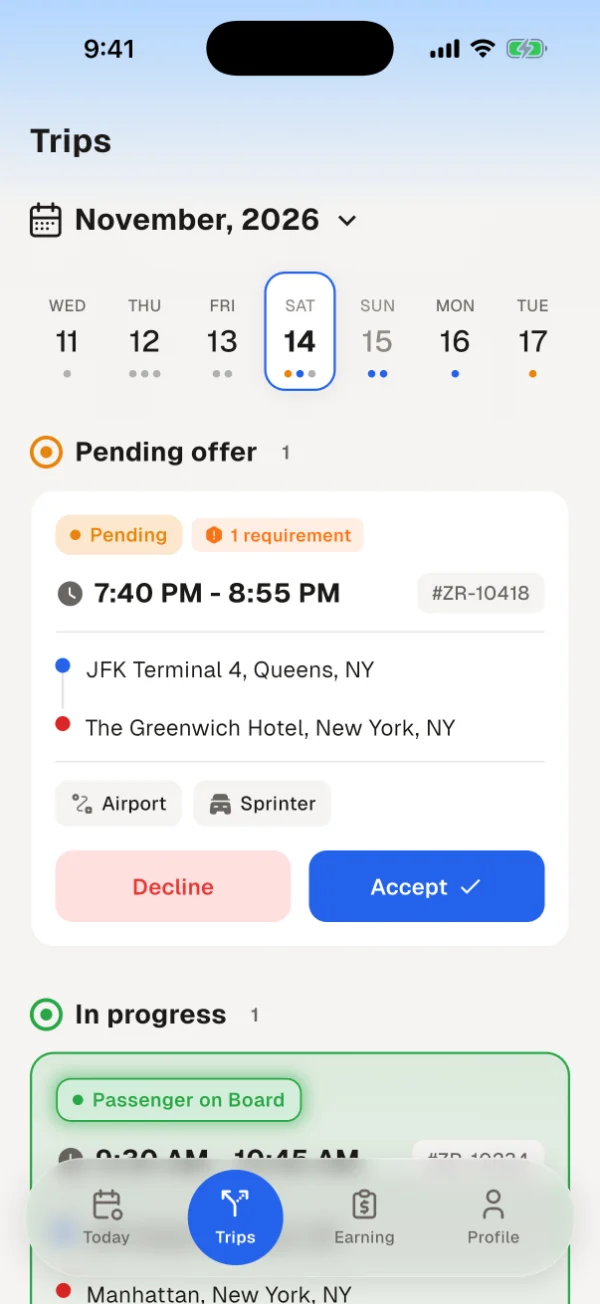
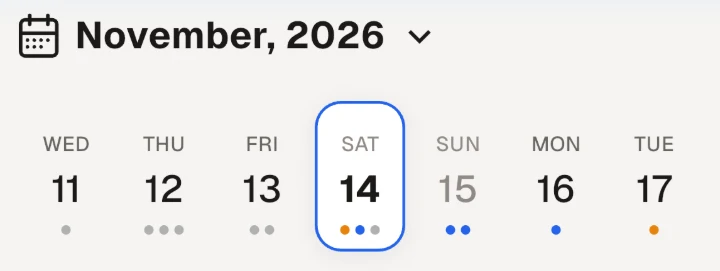
A date strip across the top, with pending offers and trips in progress underneath. A driver always knows what's next without asking.

Zarela Driver Trips tab with a date strip, a pending offer, and a trip in progress
Date strip for November 2026 with dots marking each day's trips

Navigation in the map they already use. One tap opens the pickup or drop-off in Google Maps, Apple Maps, or Waze.

Location that survives dead zones. While on duty, GPS points are stored on the phone when the signal drops and upload once it's back.

Waiting time counts itself. A timer runs while the driver waits at pickup, and they can pause it.

Trips in the phone's calendar. One tap adds a trip to the driver's own calendar. If the trip is cancelled, the event comes off.

English, Spanish, and Russian. Each driver picks their language in the app's settings.

One login for several companies. A driver who works for more than one operator switches between them inside the app.

Screens show sample data.

Driver app questions

How much does the app cost?

The app is free to download from the App Store and Google Play. Drivers use it as part of their company's Zarela account.

How do drivers sign in?

With a one-time code sent to their email or by SMS to a US phone number, with Google, or with Apple on iPhone. Their company adds them in Zarela first.

Which phones does it run on?

iPhones on iOS 15 or later, and Android phones on Android 6 or later.

What happens when a driver loses signal?

Location points wait on the phone and upload when the connection returns, and an unfinished photo inspection resumes where it stopped.

Do drivers have to use photo inspections?

Only if your company's policy requires them. Inspections follow the policy you set in Zarela.

ZarelaAI agents

Put your drivers on Zarela

Book a 45-minute demo and we'll walk through the driver app and the office side together.