Skip to content
Zarela

Zarela Dispatch app

The dispatch desk, in your pocket

See what needs attention, create reservations, follow your fleet on a live map, and message drivers from your phone. It runs on the same data as your Zarela web app.

Free to download on iPhone and Android.

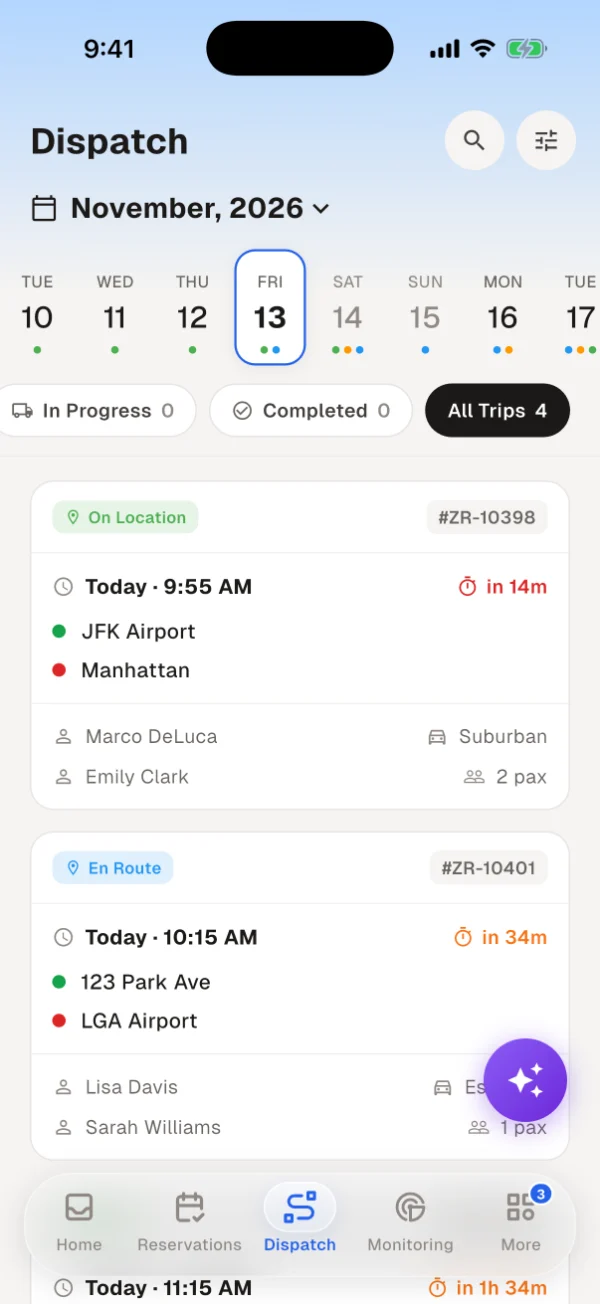
Zarela Dispatch tab with today's trips, their status, driver, and a countdown to each pickup
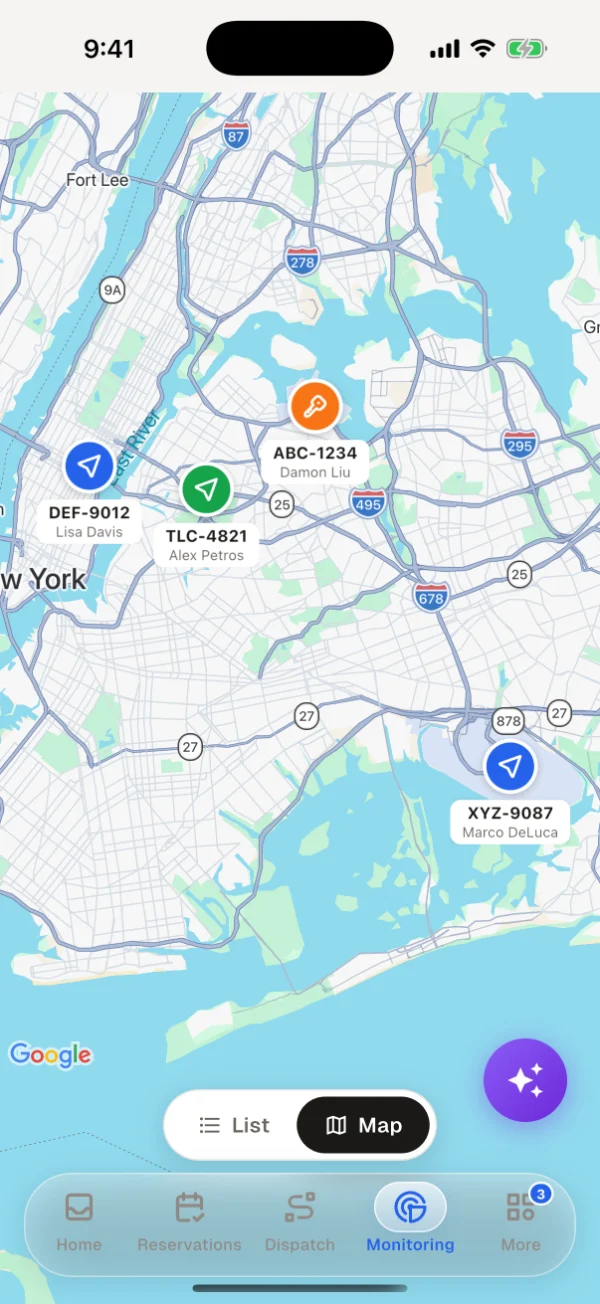
Zarela Dispatch live map of New York with vehicles and their drivers
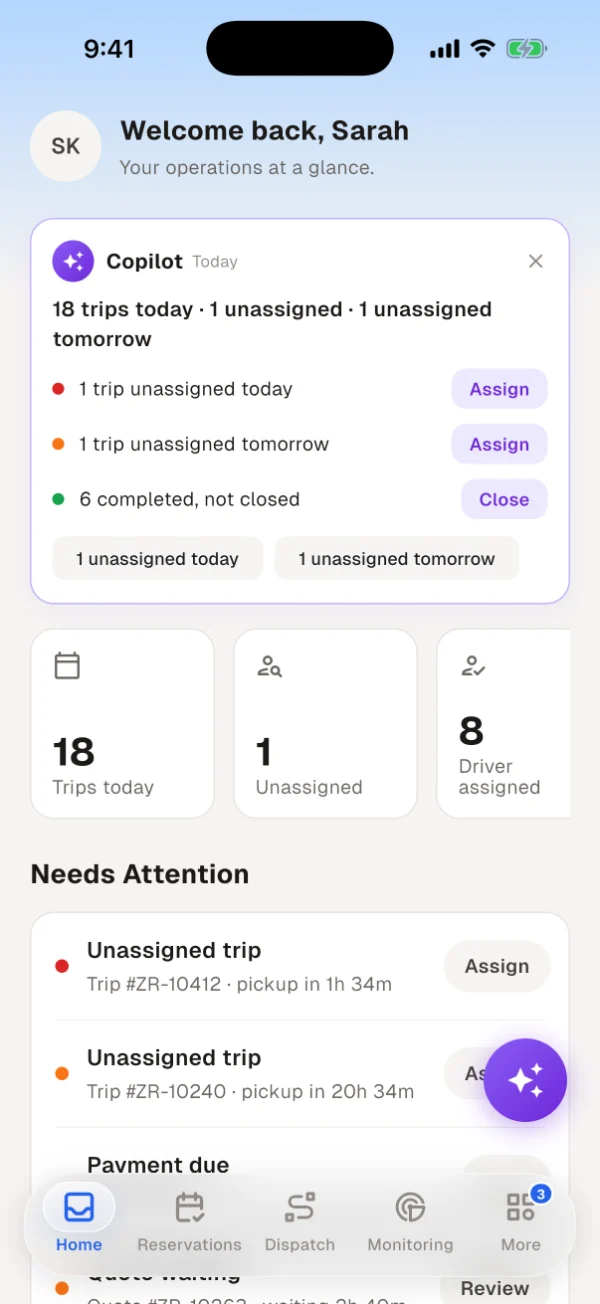
Zarela Dispatch Home screen with a Copilot briefing, today's trip counts, and items that need attention

How it works

Run the day from wherever you are

Built for the moments you're not at your desk: the evening shift, the airport, the weekend.

  1. Zarela Dispatch Home screen with a Copilot briefing, today's trip counts, and items that need attention

    01

    Start with what needs attention

    Home opens with a Copilot briefing, the open problems, and what's coming up next.

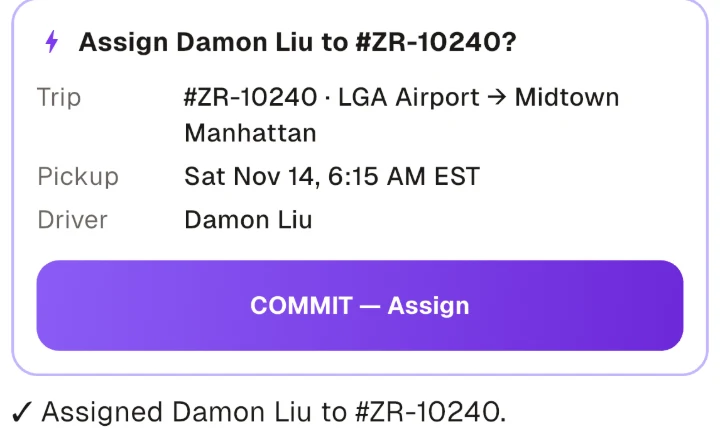
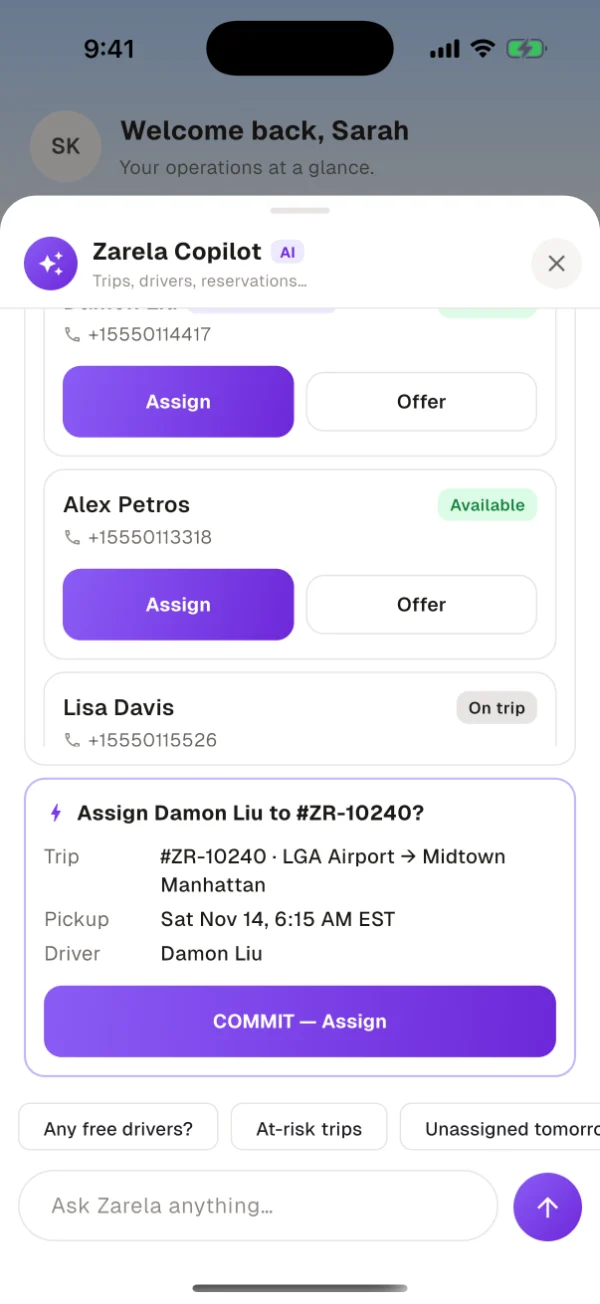
  2. Zarela Copilot asking the dispatcher to confirm assigning a driver to a trip

    02

    Ask Copilot to assign it

    Ask what's unassigned, pick a driver from the available list, and confirm. Copilot assigns the trip or offers it.

  3. Zarela Dispatch live map of New York with vehicles and their drivers

    03

    Watch it run

    The live map shows your fleet as it moves, with positions from the driver app or your telematics provider.

Your drivers, one message away

Message a driver with the trip pinned at the top of the conversation, or call with one tap. These are the same conversations you have on the web.

  • Suggested replies, ready to send
  • SMS through RingCentral when it's connected
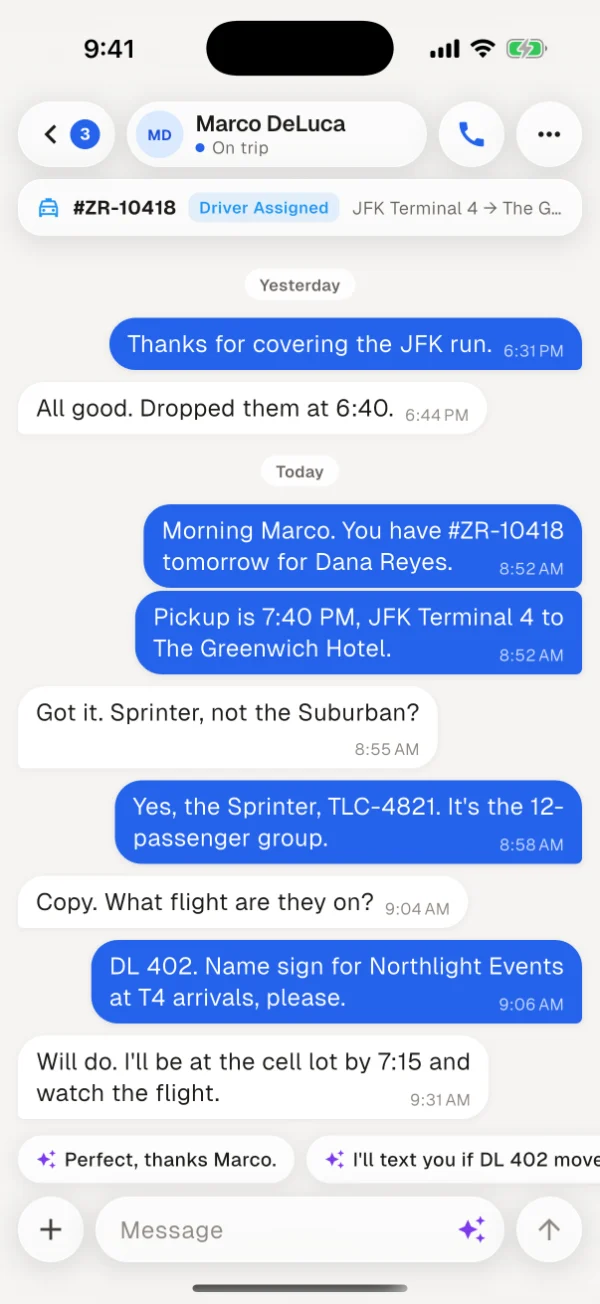
Zarela Dispatch chat with a driver, with the trip pinned above the conversation
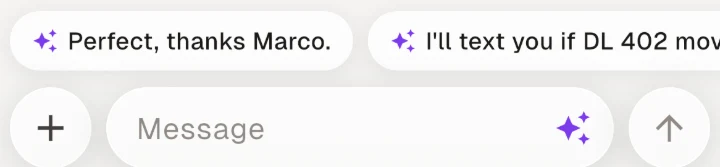
Suggested replies above the message box

Ask Copilot instead of digging

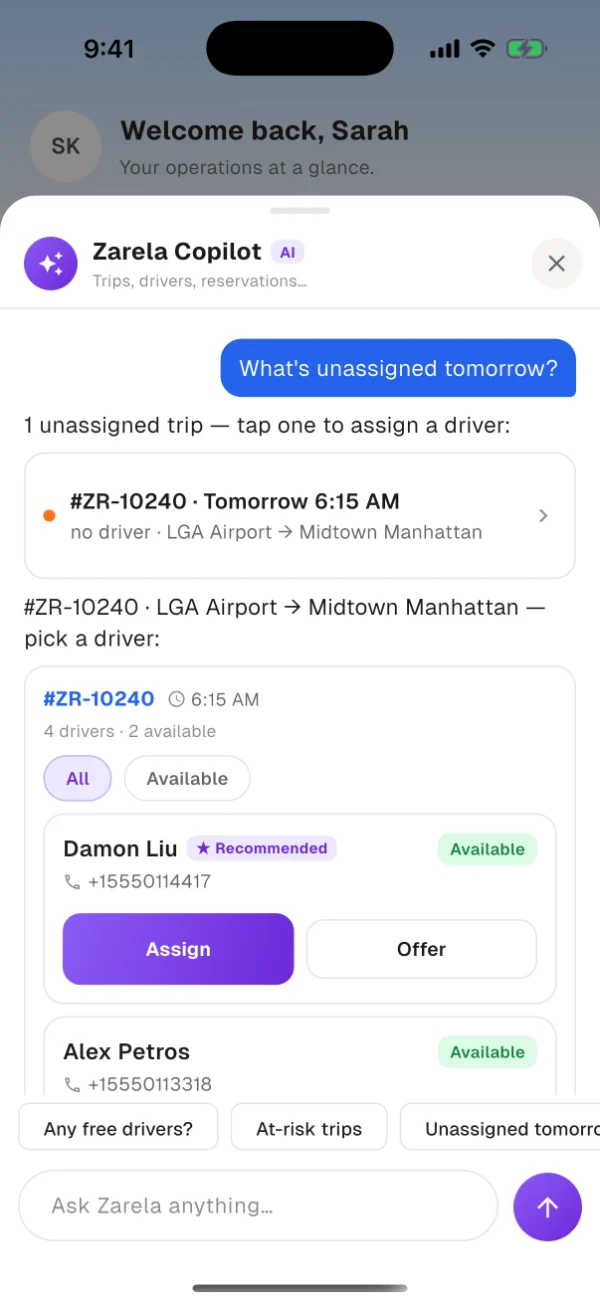
Ask what's unassigned tomorrow, which trips are at risk, or who's free. Copilot answers from your live trips and drivers, and nothing changes until you confirm it.

  • Recommends a driver and shows who's available
  • Assigns, offers, or reassigns a trip when you confirm
Zarela Copilot answering what's unassigned tomorrow and listing available drivers
Copilot's confirmation card followed by the message that the driver was assigned

Book a trip without a laptop

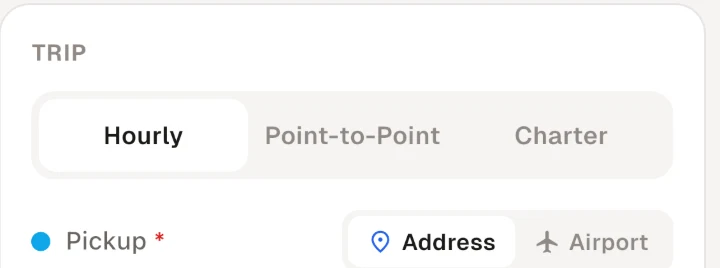
Create a reservation, edit one, or add a trip to it from the Reservations tab. Hourly, point-to-point, and charter trips all start from the same form.

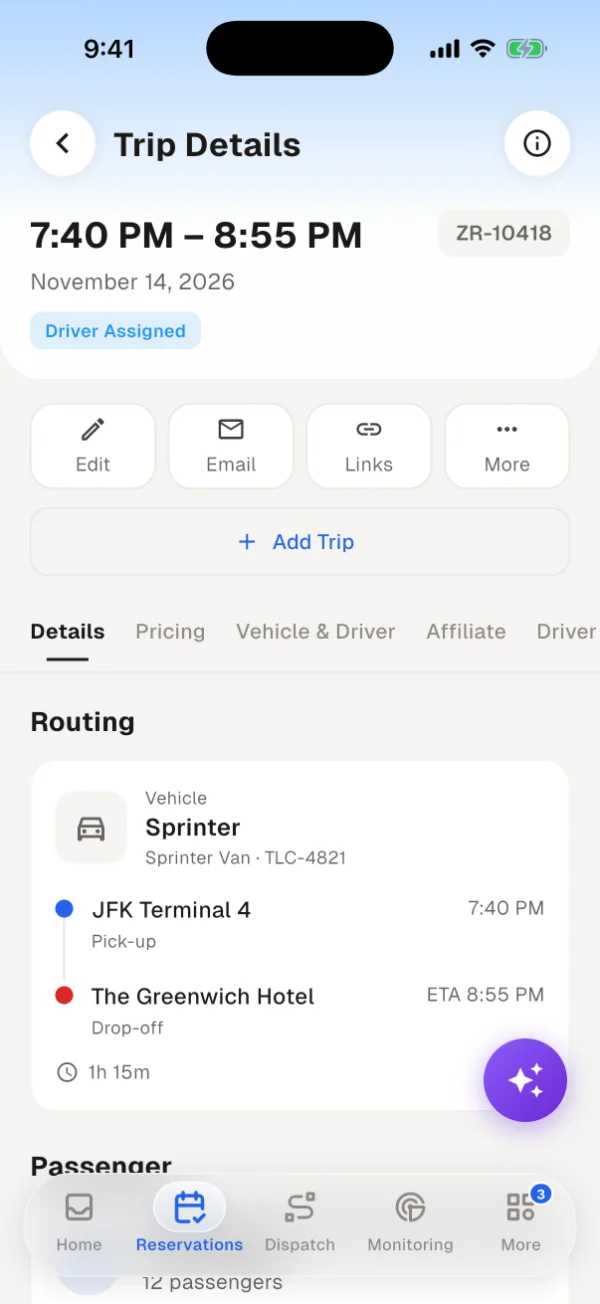
Zarela Dispatch Trip Details screen with the routing, vehicle, and driver status
Trip type choices for hourly, point-to-point, and charter, with a pickup field

Your whole fleet, on the map or in a list

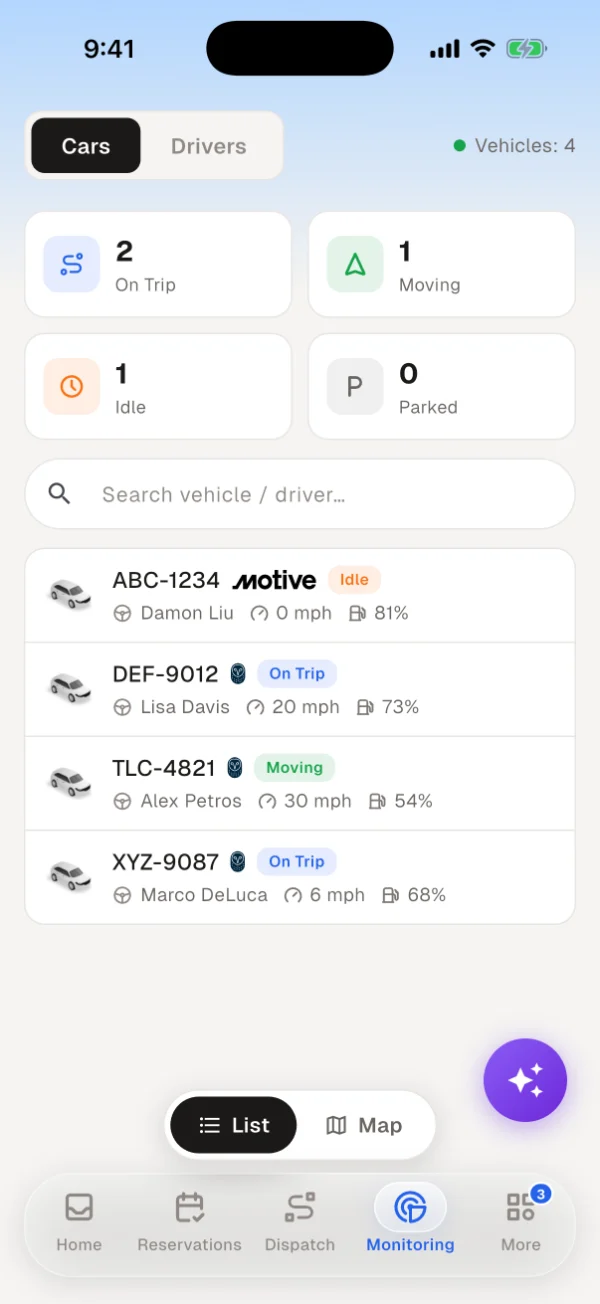
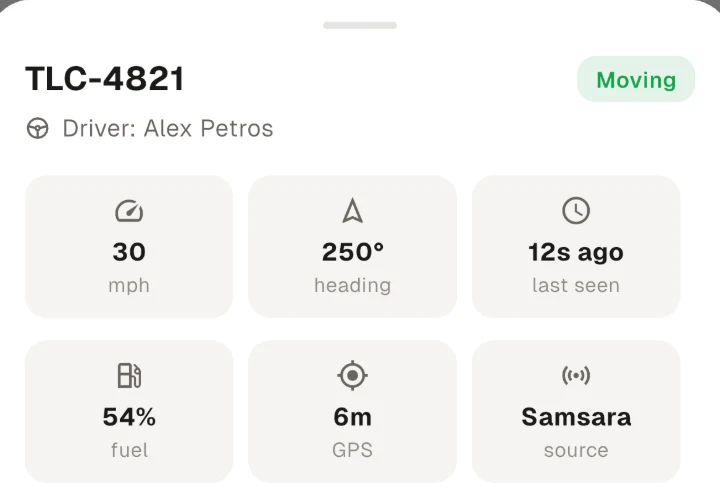
See vehicles or drivers, and what each one is doing. Tap one for its speed, heading, fuel, last update, and where the position came from.

Zarela Dispatch Monitoring list of vehicles with status, speed, and fuel
Vehicle details with speed, heading, last seen, fuel, GPS satellites, and the Samsara source

The day, sorted by status. The Dispatch tab splits trips into upcoming, pickup, in progress, and completed, with a countdown to each pickup.

The rest of the office is a tap away. Check the calendar, reports, fleet, and customers from the More menu.

Same account, same data. Sign in with your Zarela email and password, or with Google.

Screens show sample data.

Dispatch app questions

Who is the Dispatch app for?

Operators and dispatchers. It's the phone version of the Zarela web app. Drivers use the separate Zarela Driver app.

How do I get it?

It's free on the App Store and Google Play. Sign in with your Zarela account.

Can I assign drivers from my phone?

Yes, through Copilot. Ask what's unassigned, choose a driver, and confirm. Copilot can also offer or reassign a trip.

Does it replace the web app?

No. The web app is still the full workspace. The Dispatch app covers what you need away from your desk, on the same data.

Which phones does it run on?

iPhones on iOS 15 or later, and Android phones.

ZarelaAI agents

Take dispatch with you

Book a 45-minute demo and we'll show you the Dispatch app next to the web workspace.